Inside the Software
What the Kote Staff and Officers See
A browser application for the counter, the in-charge and the command level — the same data, scoped by role.
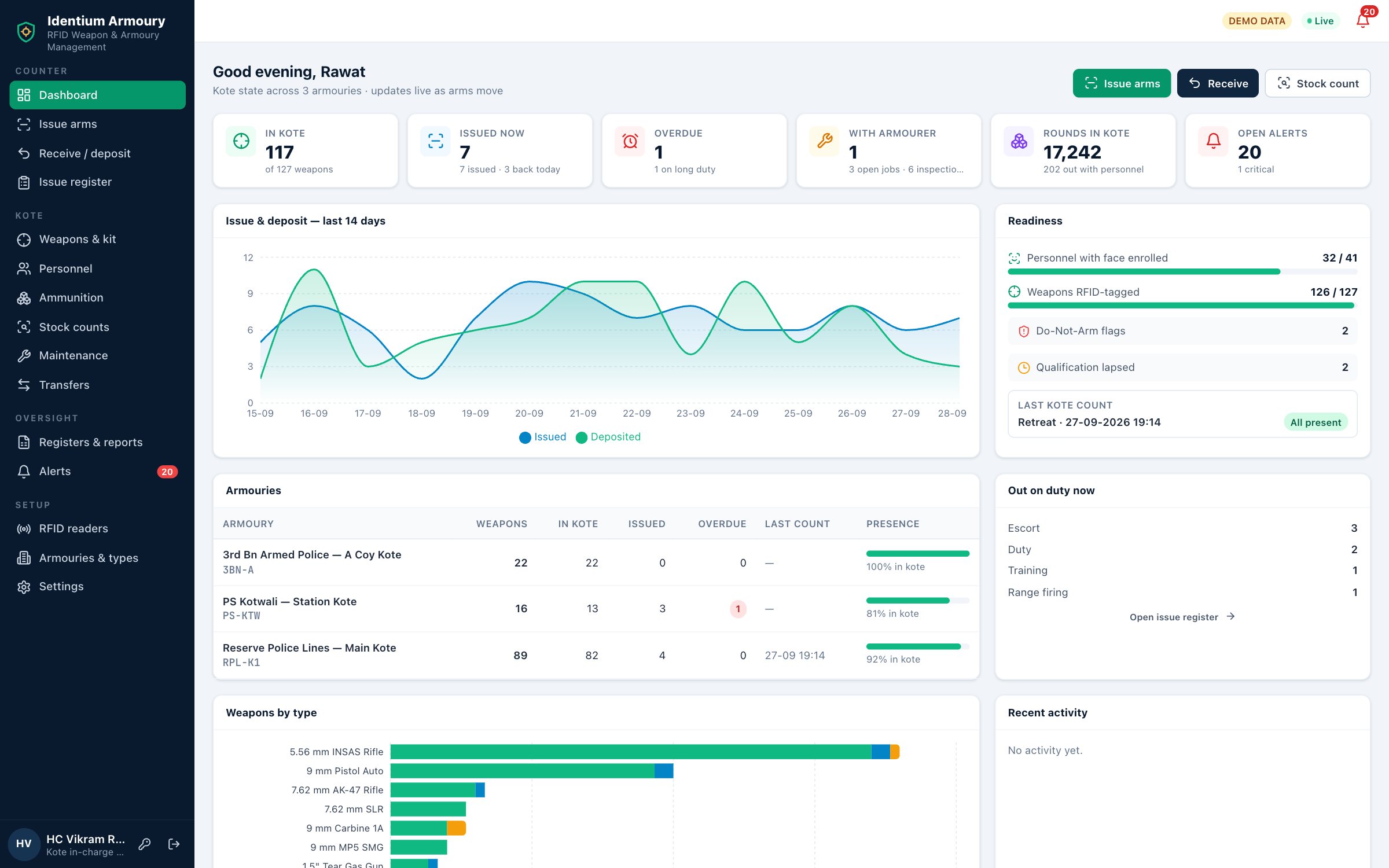
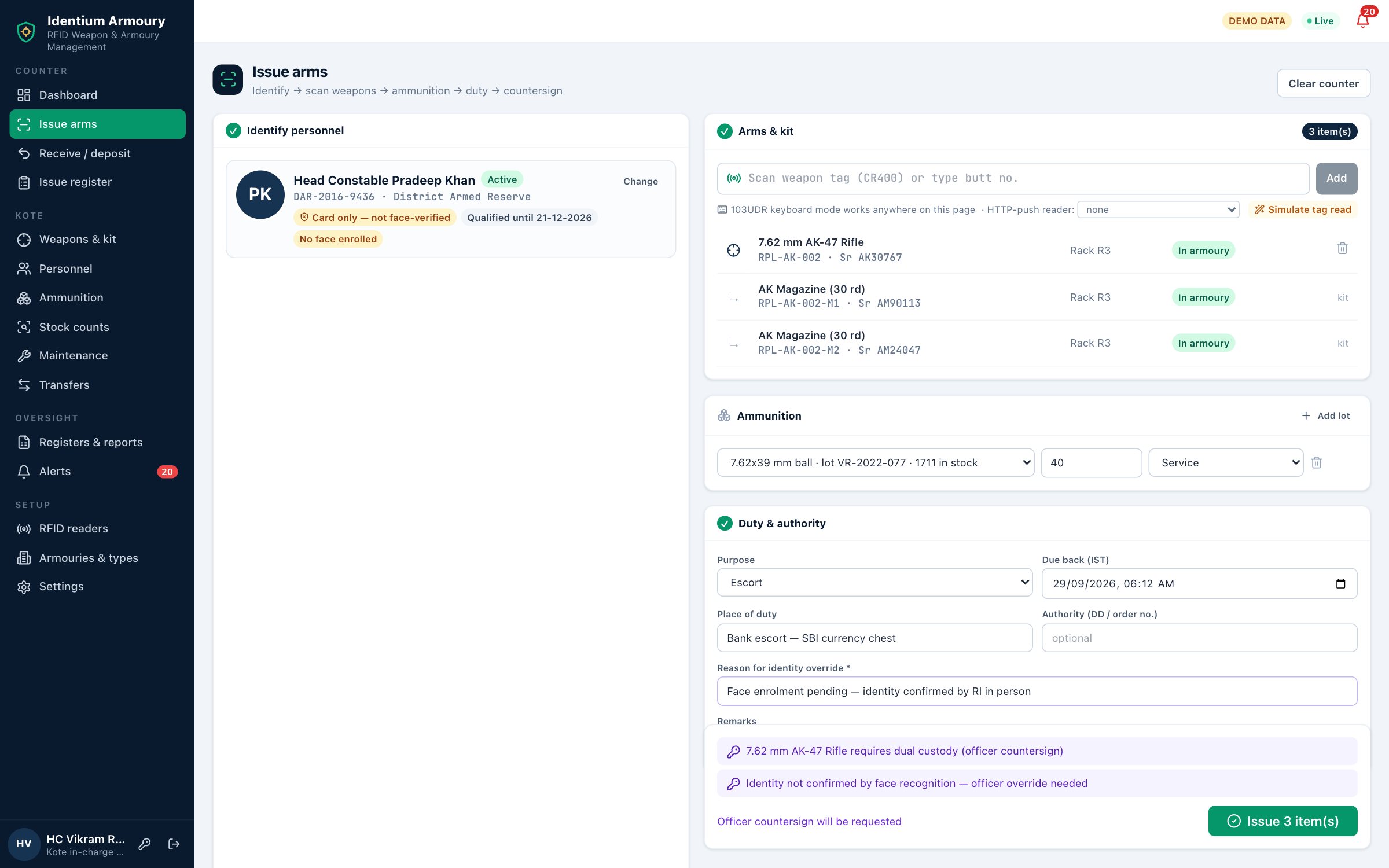
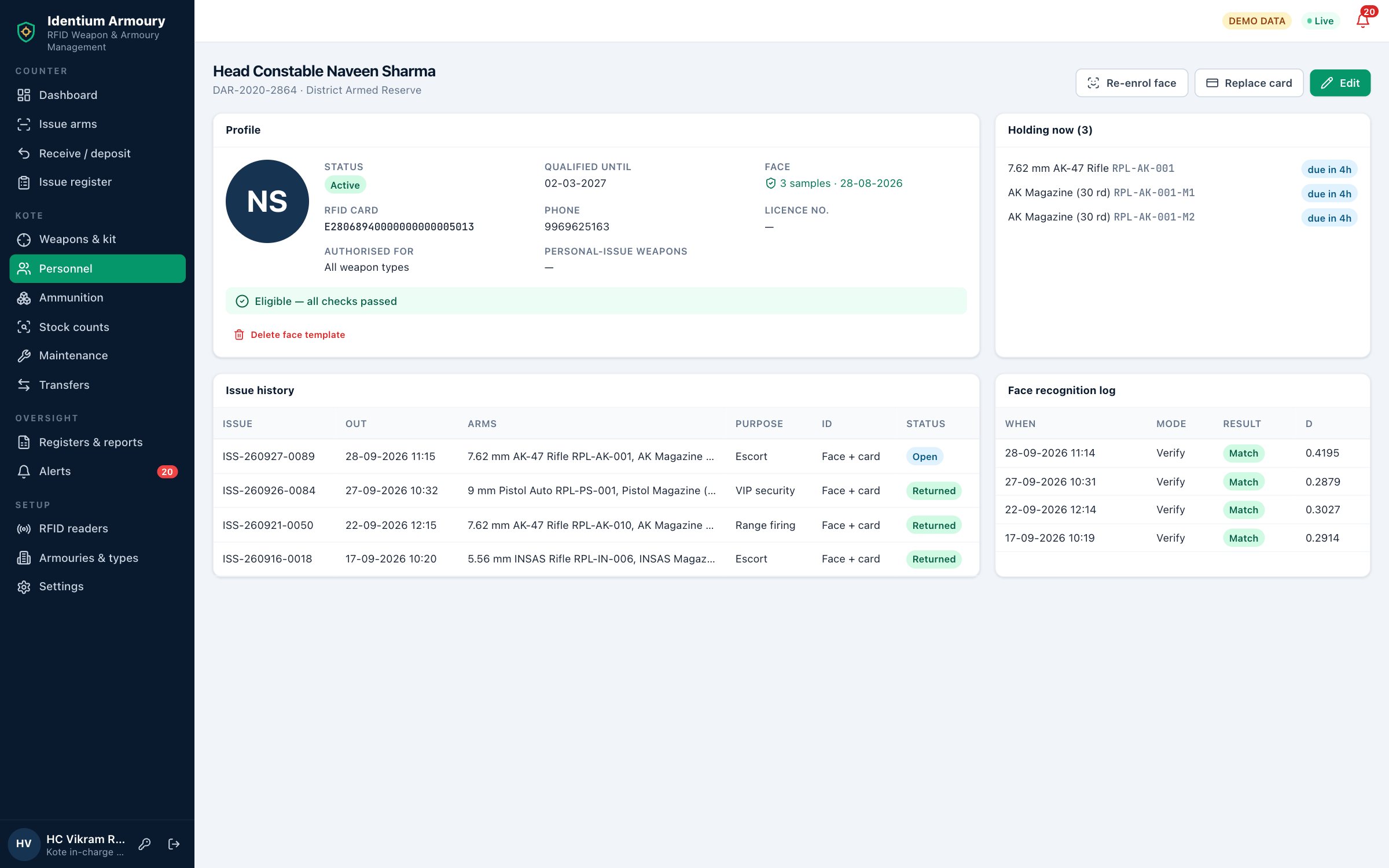
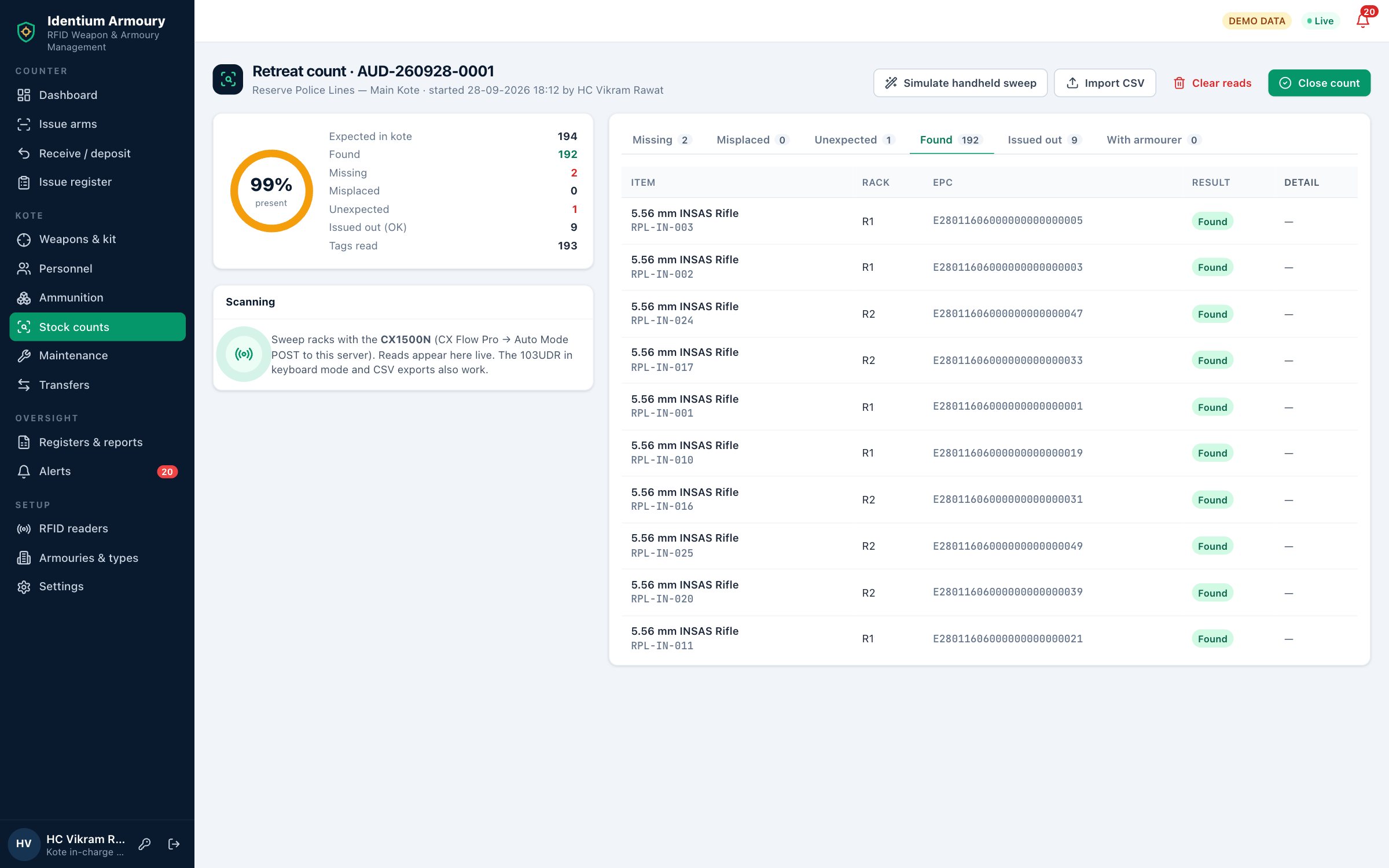
Identium Armoury replaces the paper Kote register with RFID and facial recognition. The man at the counter is identified by face or ID card, eligibility is checked before a single weapon moves, and the armourer scans the rifle and its kit onto the issue in seconds. On return, ammunition is reconciled round by round — and every step lands in a tamper-evident record the Kote in-charge, the SP or Commandant and the auditor can all trust.
Most armouries still run on a bound register, a token or disc system and a sentry’s memory. It works — until a count does not tally, an inspection asks for the history of one rifle, or an inquiry asks who held a weapon at 0300 hours.
Butt numbers copied by hand at every issue, in a hurry, at shift change. Entries are overwritten, pages go missing, and reconstructing one weapon’s movements means reading months of ledgers line by line.
A disc on a hook says a weapon is out — not who holds it, when it went, or what came with it. Discs get swapped, lost or left behind, and none of it is evidence.
Counting every rack against the register by hand ties up the Kote staff twice a day, and a surprise check or a handover takes longer still. A tired count is exactly when a gap slips through.
Rounds issued, rounds fired, rounds returned and empty cases are tracked on separate sheets — if at all. Service and practice stock blur together, and lot numbers vanish from the paperwork.
When a weapon is involved in an incident, the first question is who held it and when. A paper register cannot prove it was not written after the fact.
An inspecting officer sees a neat register and a full rack on the day. What happened between inspections — the late return, the unserviceable rifle issued anyway — leaves no trace.
Identium Armoury is designed for Indian government and security users who issue arms daily and must account for every weapon and every round — from a single district kote to a battalion with several armouries.
The workflow mirrors how a kote already runs — the counter, the armourer, the officer’s signature. RFID and face recognition simply take the writing, the guessing and the arithmetic out of it.
Each weapon, magazine and accessory carries a CR400 ceramic on-metal UHF tag, bound to its record on the IDTS-103UDR desktop reader.
Personnel are identified by face recognition with a liveness blink check, by their RFID ID card, or both.
Before anything is scanned the system checks the person against the rules. The armourer then scans the weapon on the 103UDR — its kit parts follow automatically.
The weapon is scanned back and the issue closes only when the numbers and the kit agree.
Every issue passes the same gates in the same order. If any check fails, the issue is blocked, the Kote in-charge is alerted and the attempt itself is written to the audit trail.
The CX1500N rugged handheld reads tags in bulk without line of sight. The Kote staff walk the racks and the system compares what it hears against what should be there — for Reveille and Retreat counts, surprise checks, periodic stock verification and handover between in-charges. Every count closes with the supervising officer’s countersignature.
Read in the kote and in its assigned rack. Nothing to do — the count confirms it.
Expected in the kote, not issued out, and not read. Raised as an alert immediately so a physical check starts while the count is still open.
Read in the kote but in the wrong rack. Small discrepancy, big difference at the next issue — flagged so it goes back where it belongs.
A tag that does not belong to this kote — a weapon from another armoury, or a transfer that was never received. Shown, never silently absorbed.
Not in the rack because it is on duty — listed against the holder and the open issue, so an empty slot is explained rather than counted as a loss.
The supervising officer reviews the result and countersigns. The count, its exceptions and the signature become part of the permanent record.
Three ways the scan data arrives: live from the handheld over HTTP push as the racks are swept; through keyboard mode, where the handheld types tag IDs into the count screen; or as a CSV import when the count was taken offline. All three land in the same count and the same exception list.
From the day a weapon is received to the day a condemnation board disposes of it — issue, ammunition, maintenance, transfers, counts and registers, with every action recorded.
Every weapon with butt and body numbers, type, calibre, armoury and rack. Magazines, bayonets and slings are linked as a kit, so the weapon never goes out or comes back incomplete.
Personnel records with rank, unit, RFID ID card, authorised weapon types, firing-qualification dates and Do-Not-Arm status — plus face enrolment at the counter camera.
Liveness blink check, a match threshold and an ambiguity guard that refuses near-identical matches. An officer override is possible — and is logged with the officer’s name.
Receipts, issues, returns, expenditure and empty cases by lot, with separate service and practice heads, running balances, expiry alerts and low-stock warnings.
Cleaning, armourer’s inspection, repairs and zeroing on schedule. A weapon marked unserviceable is locked out of issue until it is cleared.
Dispatch from one kote puts weapons in transit; the receiving kote confirms with a receive-scan. Nothing sits in limbo without a name against it.
Receipt, service life, condemnation board and disposal — plus loss or theft recorded with the FIR reference, and recovery when the weapon comes back.
Overdue returns, missing at count, blocked issue attempts, face mismatch, qualification expiry, maintenance due and low ammunition — on screen and on the dashboard.
Kote Register, Arms Register, Ammunition Register, Daily IN/OUT, Long-Duty IN/OUT (over 24 hours), Arms Inspection and Rifle History Sheet — printable and exportable to Excel.
Every action is appended to a hash-chained log. Entries cannot be edited or deleted, and any break in the chain shows. Corrections are made by new entries, never by rewriting old ones.
Admin, Kote in-charge / Armourer, Officer / Approver, Auditor and Viewer — each role sees and does only what its duty requires.
For the SP or Commandant: weapons held, issued and overdue across every armoury under command, with open alerts and the latest count result at a glance.
Issues, returns, counts and alerts push to every open dashboard the moment they happen — no refresh, no waiting for an end-of-day report.
The camera frame used to identify the person is stored with every issue, so the record shows not just a name but the face that stood at the counter.
Unloaded, cleaned and parts-complete are confirmed on every return. If a kit part is missing, the return does not close.
Run the whole system on a server inside your own premises, on your own LAN, with no dependency on the internet or an outside cloud.
A browser application for the counter, the in-charge and the command level — the same data, scoped by role.
A desktop reader at the counter, a handheld for the racks and a tag that reads on steel. Identium-made hardware, available through our sister store IndiaRFIDStore.com.

USB desktop reader/writer · batch encoding · keyboard emulation · 0–33 dBm. Binds tags to weapons at enrolment and scans each weapon at issue and return; output power is set so it reads what is on the counter.
View Product →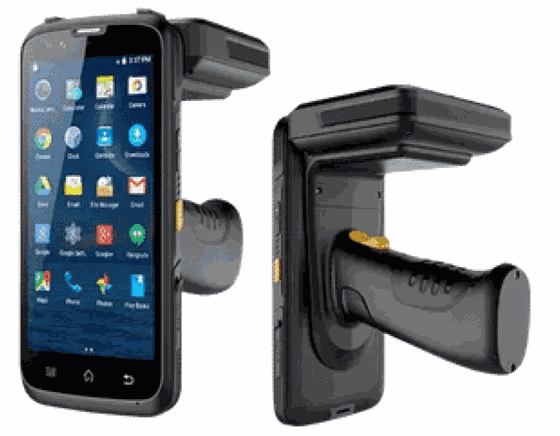
Rugged Android handheld · UHF + barcode + NFC · 1,000+ tags/sec · up to 25 m. Sweeps the racks for Reveille, Retreat, surprise and handover counts, pushing results live over HTTP.
View Product →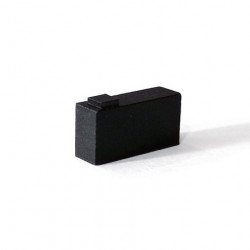
Ceramic UHF on-metal tag that reads on steel — the metal becomes part of the antenna instead of killing the read. Fitted to weapons, magazines and accessories.
View Product →Readers, tags and software from one Indian company — so the tender response, the installation and the support all come from the same desk in New Delhi.
Identium Tech Solutions designs and manufactures RFID readers and tags in New Delhi, and builds its software in-house — hardware, software and support from a single Indian vendor.
Working in automatic identification since 2010 and incorporated in 2018, with 500+ businesses served, 400+ products and 30+ turnkey solutions.
BIS CRS registration R-81016250 under IS 13252, valid to 2028, covering 10 Identium reader models.
Reader models carry their own WPC Equipment Type Approval — for example the CX1500N, ETA-SD-20250301873.
ISO 9001:2015 (SPC24Q9186) for quality management and ISO 14001:2015 (SPC24E9187) for environmental management.
Custom tags in 5–10 days, software deployable on your own servers, and workflows and registers configured to your unit’s standing orders.
Yes, with the right tag. Ordinary UHF labels detune on steel, so weapons, magazines and accessories carry the CR400 ceramic on-metal UHF tag, which is designed to be mounted on metal — the metal surface becomes part of the antenna. Tag placement on each weapon type is fixed during rollout so every rifle reads the same way at the counter and in the rack.
Yes. Identium Armoury can be installed on a server inside your own premises and run entirely on your LAN, with no internet connection or outside cloud involved. Counter workstations, dashboards and handhelds all talk to that local server, and handheld counts taken without a connection can be imported as CSV.
Several ways. A liveness blink check rejects a printed photo or a phone screen. A match must clear a set threshold, and an ambiguity guard refuses the match when two enrolled people are too close to call, rather than picking one. The snapshot is stored as evidence with every issue, and when an officer overrides a failed match, the override is logged with the officer’s name.
Yes. The system generates the Kote Register, Arms Register, Ammunition Register, Daily IN/OUT, Long-Duty IN/OUT (over 24 hours), Arms Inspection and Rifle History Sheet from the transactions it records. Each is printable and exportable to Excel, and layouts can be aligned to the formats your unit already maintains.
Minutes rather than hours. The CX1500N reads tags in bulk without line of sight, so staff sweep rack by rack instead of reading butt numbers one at a time. The exact time depends on the size of the kote and the rack layout — and the exception list is ready the moment the sweep ends.
The weapon is never stranded. The armourer can enter it manually by butt number at the counter or during a count, and that manual entry is recorded in the audit trail. The tag is then replaced and re-bound to the same weapon record on the 103UDR, keeping its full history.
Identification at the counter is built on face recognition and RFID ID cards. Where a tender specifies fingerprint verification, fingerprint scanners can be integrated on request — talk to us about the model and workflow you need.
By lot. Rounds are issued against a lot and a head (service or practice), and on return the system records rounds fired, rounds returned, rounds expended and empty cases collected. Balances update per lot, expiry dates raise alerts, and low stock is flagged before it becomes a problem.
See Identium Armoury running on your own issue workflow — we will walk through the counter, a kote count and your registers.