Read, write and bulk-program NTAG21x, MIFARE Ultralight and NFC Forum tags, lock NTAG21x and MIFARE Ultralight, copy links, text and contacts across chip types, clone same-type NTAG213/215/216 tags and password-protect them — straight from your NFC-equipped Android phone. No subscription, no account, no internet required.
Tag operations, bulk workflows and ready-made recipes that fill in your own business details — without the upsells.
UID, technologies and NDEF records for any tag, plus ATQA and SAK for ISO 14443-A tags. Full hex memory dump of NTAG213/215/216, up to the first 64 pages of other Type 2 tags such as NTAG210/212 and MIFARE Ultralight EV1, and memory size and block count for MIFARE Classic.
URL, vCard, Wi-Fi, Bluetooth, email, phone, SMS, geo, app, custom MIME, address, plain text — multi-record messages supported.
Set NTAG213/215/216 PWD/PACK with custom AUTH0. Make NTAG21x and MIFARE Ultralight tags permanently read-only with Android's standard NDEF lock — on its own, straight after a write, or across a whole one-link Bulk write run.
Copy links, text, vCard contacts and app records from one tag onto any writable NDEF tag, whatever the chip type, or clone raw user memory byte-for-byte between two tags of the same type (NTAG213/215/216 or 48-byte MIFARE Ultralight).
Import a spreadsheet, tap one tag per row. For one link on many tags, Bulk write fills {n} with the next serial — tag/1, tag/2, … in decimal or hex, with optional zero-padding.
Save common write payloads. 10 pre-built recipes — Wi-Fi guest, vCard, asset tag, restaurant menu, event check-in and more — 8 of them filled in from your saved business profile.
200-entry log of your tag reads, writes and locks with CSV export. Dashboard shows operation breakdown and 7-day trends.
One record, two outputs. Turn a record from your write list, or any text you type, into a QR code — links, phone, SMS, email, location, Wi-Fi and contact cards use standard QR formats that phone cameras and scanner apps read. Share the image to print or send to customers without NFC.
Phone capability check plus optional tag probe. Shows the tag type, memory, whether the tag reports as writable and lockable, and NTAG password support — one result customers can screenshot before they call support.
Turn any writable NDEF tag into a tap-to-verify passport. Each tag carries your verification URL with the product ID you set (typed, generated, or auto-numbered with the auto-counter on) and, by default, the chip's hardware UID. A tap with most NFC phones opens your own verification page with those values, so your system can check them against the tags you issued.
Verify the chip's factory originality signature right on the phone — no server, no internet. Real NTAG213/215/216 silicon passes the ECC check; a chip whose signature is missing or does not match its UID is flagged. Also reads the chip's one-way scan counter on tags that have it switched on.
Point the camera at a QR code with a link and write it straight to an NFC tag — single, or continuous for a whole batch. The QR reader is built into the app: no cloud, no extra downloads.
Power-user hex editor — read the user memory (every page on NTAG213/215/216, the first 48 bytes on other compatible tags), edit the bytes and write back only what changed. Writes stay inside the user-memory range of the tag you read, so its UID, lock and config pages stay untouched.
No Play Store account needed. Download the APK, allow the install when Android asks, and you're done. Already have the Google Play version? Export a backup from Settings, uninstall it, then install this APK.
Tap the button below on your Android phone. The file is about 6.6 MB.
Android shows a security prompt the first time. Tap Settings, turn on Allow from this source for your browser, then go back and tap Install. On Android 7 and older, turn on Unknown sources in Security settings instead.
Hold an NFC tag near the back of your phone to read it. To write, lock or program tags, set up the job in the app, then hold each tag to the phone.
Sold separately at our store — pick a form factor, write with the app, ship to your customers.
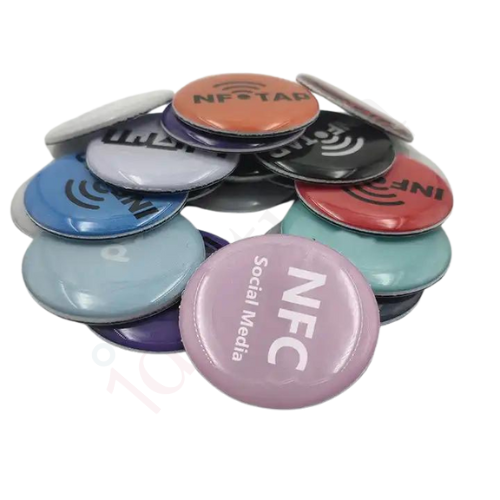

Customers download the free app, allow the install and start programming tags in minutes.
Download APK